Notepad,
but smarter.
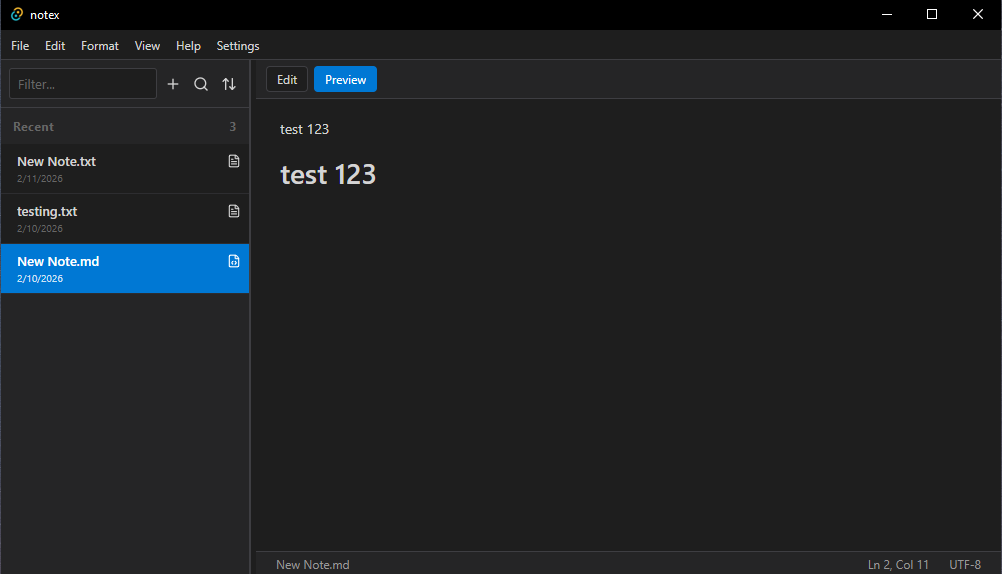
Features
Everything you need, nothing you don't.
Built for speed, designed for clarity. No bloat, no distractions, just a clean tool for your thoughts.
Native Feel
Minimalist UI that feels right at home on Windows.
Auto-Save
Never lose work. Saves every 2 seconds and on exit.
File Organization
Real file-system folders in ~/Documents/NoteX.
Full-Text Search
Instantly search across all your notes.
Markdown Support
Preview mode with syntax-highlighted code blocks.
Embedded Media
Render local images directly in Markdown notes.
Fast Startup
Opens in under 500ms with minimal memory usage.
Configurable
Customizable autosave interval and preferences.
Clean Interface
Distraction-free writing experience, always.
Shortcuts
Keyboard-first workflow.
Every action has a shortcut. Your hands never leave the keyboard.
Tech Stack
Built with modern tools.
Backend
Rust + Tauri V2
Frontend
React 19 + TypeScript
Bundler
Vite
Styling
Vanilla CSS
Icons
Lucide React
Markdown
markdown-it + highlight.js
Roadmap
Where NoteX is headed.
The current release is a solid base for everyday use. The Gegamo Team has an ambitious roadmap ahead.
All improvements are coming soon in newer versions. Once online features are added, some source code will be limited for privacy, but NoteX will always stay open source.
UX & System Polish
Refining the experience to feel native and professional.
PATH Integration
Add NoteX to Windows System PATH automatically.
Modular Settings
Standalone settings window with proper scaling.
Context Menu
Custom native-looking right-click menus.
Accounts & Infrastructure
Building the backbone for syncing and collaboration.
Auth & Sync
Authentication and real-time syncing across devices.
Note Sharing
Share notes via unique links or permissions.
Cross-Platform
Expand to Linux and macOS.
AI & Smart Features
Leveraging Gemini 2.5 Flash for smart note-taking.
Gemini Integration
Connect Gemini 2.5 Flash directly.
AI Search
Semantic and natural language search.
Summarization
Condense notes, change tone, auto-tag.
Open Source & Launch
Preparing for public release and community growth.
Codebase Audit
Clean code and standardize structure.
Documentation
Professional docs and contribution guides.
Marketing
Showcase videos and community outreach.
Contribute
Help shape the future of NoteX.
NoteX is open source and contributions are always welcome.
Fork the repository
01Start by forking the NotepadPro repo to your account.
Create a feature branch
02Branch off from main with a descriptive name.
git checkout -b feature/amazing-featureCommit your changes
03Write clear, meaningful commit messages.
git commit -m 'Add amazing feature'Open a Pull Request
04Push your branch and open a PR for review.